

Quick answer
To report fake Google reviews, flag the review in Google Search, Google Maps or your Google Business Profile and select the closest match under Google’s Prohibited and restricted content policy. Google removes reviews for policy breaches such as spam, impersonation, conflicts of interest or content from someone who was never a real customer; it does not remove reviews just because they are harsh. Your report works better if you attach the review URL, screenshots, dates, order-lookup failure and any duplicate-review pattern. If Google rejects the first flag, use the Business Profile appeal route with tighter evidence. At BGR Review, successful removals are billed at $449 per review link with $0 upfront.
This guide is built from live removal work, where the first flag often gets auto-rejected because the business only says “this is fake” and does not map the review to a specific policy ground. The evidence pack that actually gives an appeal a chance is usually simple: the review URL, reviewer profile link, CRM or booking lookup showing no match, message logs, dated screenshots and one clear policy match.
If you are searching for how to report fake Google reviews, that sequence matters more than the flag button itself. We handle review disputes across Google, Trustpilot, Yelp, Clutch and TripAdvisor, so we can show you where Google’s process stops, what gets ignored and when a second appeal is a waste of time.
What Google will remove and what it usually leaves up
Google removes reviews that breach the Google Maps User Contributed Content Policy, and it usually leaves up reviews that are simply harsh, unfair or commercially damaging. That distinction matters before you file a report or pay for help, because Google moderates for policy violations, not for tone. A one-star review saying your service was “awful” can stay live even if you know the reviewer never bought from you.
| Usually removable | Usually left up |
|---|---|
| Spam, fake engagement, impersonation, conflicts of interest, off-topic content, prohibited content | Negative opinion, poor rating without detail, rude wording, exaggerated but non-prohibited criticism |
The grounds that give you a real shot are specific. Google's policy categories that matter most in fake-review disputes are spam and fake engagement, misrepresentation, conflict of interest, off-topic content, and prohibited content such as harassment or discriminatory language. “This customer does not exist” is not a policy ground by itself unless you tie it to one of those categories.
A false service complaint often survives moderation unless you can show a policy breach or factual impossibility, such as no matching order, no message history, no booking under that name, and a reviewer profile pushing the same text across unrelated businesses. That is why our removal work stays evidence-led and pay-after-success at $449 per removed review link with $0 upfront. If the review is only disputed on the facts, Google often refuses removal.
How to flag a fake Google review from Search and Maps
You flag a fake Google review from the review’s three-dot menu in Google Search or Google Maps, then track the case inside Google Business Profile support if you manage the listing.
In Search, open your Business Profile, find the review, click the three dots, and choose Report review. In Maps, open the place listing, scroll to the review, hit the same three-dot menu, and submit the report there. If you already have the review URL, the reviewer profile link, and your reason for reporting ready, the first submission usually takes 2 to 5 minutes.
If you are a Business Profile manager, use Google’s support workflow to report individual reviews and check status after submission. Google’s review reporting route sits inside the Google Business Profile Help flow, where you select the location, pick the flagged review, and monitor whether Google leaves it up, removes it, or asks for another appeal.
Which fake-review patterns actually fit Google's policy
Fake reviews get removed when you match the conduct to a named Google policy ground, usually fake engagement, misrepresentation or spam under Google's Maps user-contributed content policy.
Most competitor reviews do not fit harassment, even when they are hostile. The stronger route is usually conflict of interest or misrepresentation: the reviewer is tied to a rival, never bought from you, and presents themselves as a real customer. If your order search shows no match for the name, email, phone or date mentioned in the review, that supports the policy point better than arguing tone.
Lead-generation scams usually fit spam. The review mentions services you do not sell, pushes readers to call another number, drops a URL, or repeats the same wording across several listings. Google often leaves one angry review alone, but a cluster posted within 24 to 72 hours with near-identical phrases is much easier to frame as coordinated fake engagement.
Reviewer names, timing and repeated language matter because they show orchestration. A run of profiles with thin histories, city-name usernames, and the same phrase such as “charged me and never delivered” across multiple local businesses gives you something concrete to cite. On its own, a suspicious name rarely moves a report; combined with identical wording and no transaction record, it often becomes the core of the case.
The evidence pack that gives a report a real chance
A report has a real chance when your evidence shows the reviewer could not have been a genuine customer and ties that claim to dated records you can hand to Google.
The strongest proof usually links the review to a dead end in your own system: no customer record under that name, no order on the date claimed, or transaction details that could not have happened at your location. A review that says “visited on Sunday at 9pm” is easier to challenge if your booking log shows you were closed, your till records show no matching sale, or your CCTV timestamp shows no such visit window. At BGR Review, we tell clients to build the file before they flag the review, because a bare accusation rarely survives the first pass under the Google Business Profile review policy.
- CRM or POS lookup showing no matching customer, order, invoice or account
- Booking calendar or appointment history showing no visit on the claimed date
- Receipt records or payment logs that contradict the transaction details
- CCTV stills or timestamp logs for the claimed time window
- Message screenshots, emails or call logs showing harassment, extortion or identity mismatch
Put the material into one dated folder and keep it tight: 3 to 6 exhibits is usually enough. Name each file so the reviewer can follow it in seconds, such as “Exhibit-1-review-URL”, “Exhibit-2-CRM-search”, and “Exhibit-3-CCTV-19-42”.
How to match your evidence to the strongest policy ground
Match your evidence to one clear breach in the Google Business Profile review policy, because a report built on three weak theories usually reads as speculation and gets rejected.
Pick the ground your proof can actually carry. If your records show no order, booking, ticket, email thread or staff interaction for the name, date and claim in the review, that supports a fake engagement or spam argument. It does not prove harassment, hate speech or defamation on its own. Google reviews each ground differently, and mixed claims blur the story. ” Then attach the single best exhibit first: the failed order lookup, the booking export, or the account search screenshot.
| Evidence | Best policy ground |
|---|---|
| No customer, order or booking match | Fake engagement / spam |
| Review includes slurs or threats | Harassment or hate content |
| Review promotes another business or drops links | Off-topic / spam |
If your first report fails, changing the label without new evidence rarely helps. The better move is to tighten the policy match and resubmit with the direct exhibit at the top, then keep the rest of the pack behind it.
What actually happens after you submit a report
After you submit a fake-review report, Google usually does one of three things: removes the review, rejects the report, or leaves it sitting in review with no useful explanation. The awkward part is the silence. Under the Google Business Profile review policy and support flow, you often get no detailed reasoning beyond a generic policy result, and many profiles show no visible change for several days even when the status updates later in Search or Maps.
Your side needs a clean record from day 1. Log the submission date, the case ID from the email or support thread, the reviewer name exactly as shown, the review URL, and screenshots of the live review and your report confirmation.
How to escalate a rejected report the right way
The right escalation after Google rejects a fake-review report is to move from repeat flagging to the Google Business Profile support or review appeal route with new proof tied to a named policy breach.
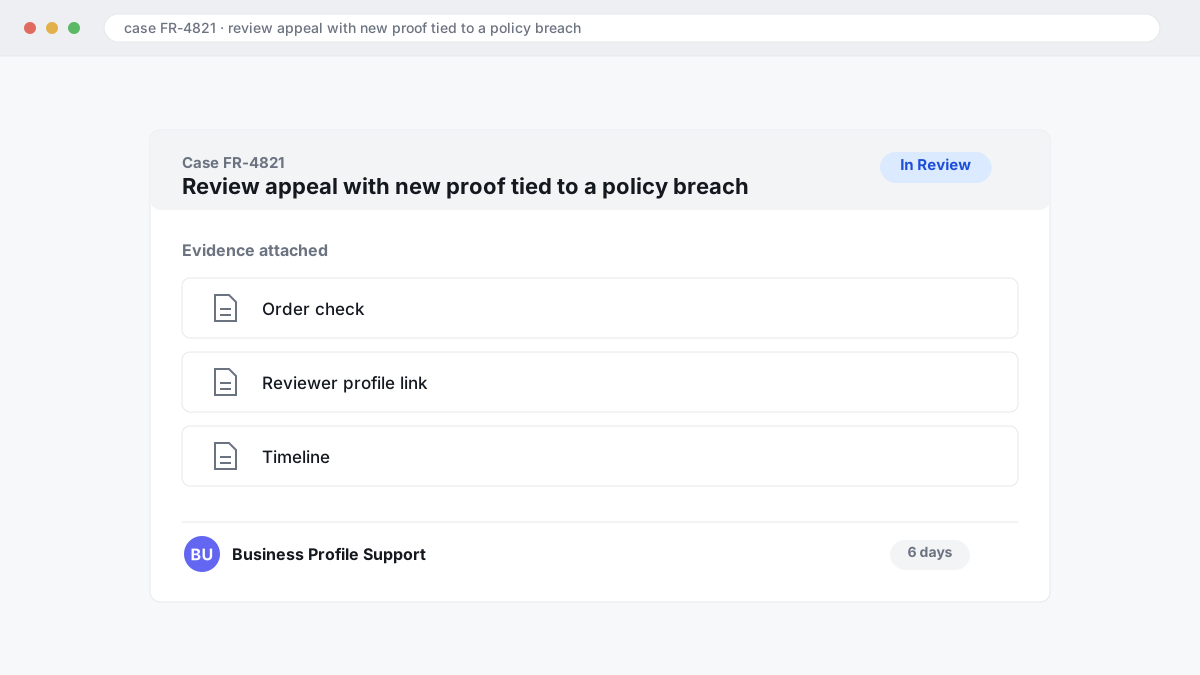
Sending the same report again rarely changes anything. Google usually gives you the same outcome within days or a few weeks because the second submission hits the same review record, the same sparse evidence, and the same policy reading under the Google Maps User Contributed Content Policy. If your first flag only said “fake” with no order check, no reviewer profile link, and no timeline, the appeal is where you fix that.
| Route | What to add | Likely result |
|---|---|---|
| Repeat identical flag | No new evidence | Same rejection, often fast |
| Support or appeal submission | Review URL, profile links, order lookup failure, message logs, screenshots, policy match, dated chronology | Better chance of human review |
The appeal works best when you show a clean sequence: review posted, CRM or order-system lookup failed, outreach sent, no proof of service returned, and the content fits a specific policy ground such as spam, impersonation, or conflict of interest. That chronology matters.
What first-party replies can and cannot achieve
A first-party reply will not make Google remove a fake review, but it can limit trust damage while your report sits in the Google Business Profile review policy queue. If the review is still live after your initial flag, post a calm, short response within 24 to 72 hours. Keep it factual: say you cannot match the reviewer to an order, booking or support record, that you take genuine complaints seriously, and that you have reported the post for policy review.
Most owners make the reply worse by calling the reviewer a liar, extortionist or competitor in public. Do that only if you can prove the false factual claim behind it and are prepared to stand behind that wording. A safer line is, “We cannot verify this experience from our records. ” That will not remove the review.
When legal or regulatory pressure becomes relevant
Legal or regulatory pressure becomes relevant when a fake Google review also breaks a law or a regulator’s rules, not only Google’s review policy.
Rules vary by country and platform, and this is general information rather than legal advice. Google Business Profile support still decides removals under its own prohibited and restricted content rules, so a solicitor letter by itself rarely removes a review that does not match a policy ground.
In the US, two legal angles come up most often. The first is an FTC issue: a paid or incentivised endorsement that was not disclosed can breach the FTC’s rules on endorsements and testimonials, with the agency’s 2024 rule on fake reviews adding sharper language around fabricated or purchased feedback. The second is defamation, where a review states false facts such as “they took payment and never delivered” and you can show the order record, refund log or message trail says otherwise.
UK and EU regimes can treat undisclosed paid endorsements as misleading commercial practices. The UK’s CMA and the DMCC Act sharpened scrutiny around fake or concealed review activity, while EU consumer-protection rules take a similar line. If your case has that element, legal pressure helps most when it is precise, documented and tied to the exact review URL.
A practical removal workflow from live dispute casework
A workable fake-review removal workflow starts with classification, because the evidence you need for a fake customer is different from what you need for a competitor, a spam network, or an ex-employee grievance under Google's Business Profile review policy.
Start by naming the review type in one line before you collect anything. “Fake customer” usually means no order, booking or CRM match. “Competitor” needs a profile link, company link or trading connection. “Spam network” means repeated wording, recycled accounts or the same text posted across multiple listings. “Ex-employee grievance” often turns on whether the review is really about a workplace dispute rather than a customer experience.
Build the evidence pack next, then submit once. A usable pack has the review URL, the reviewer profile link, the business profile link, your order or booking lookup showing no match, message logs if the person contacted you, screenshots, and a short note matching the facts to one policy ground. One clean submission beats five emotional ones.
Calendar the follow-up when you file it. Day 7 is for checking whether Google removed the review silently or left it live. Day 21 is where escalation usually starts, and the second submission needs new proof rather than the same screenshots again.
A strong example looks like this: no booking record for the date claimed, the review names a technician who does not work at that branch, and the same wording appears across 4 profiles. That pack gives Google something verifiable. A complaint that only says “this is fake” usually dies on the first rejection.
Mistakes that make fake-review reports fail
Fake-review reports fail when your submission tells Google you are angry, but does not show a clear match to the Google Business Profile prohibited and restricted content policy.
The weakest reports read like complaints: “this is unfair”, “this hurts my business”, “my rating dropped”. A moderator cannot remove a review for damage alone. The report needs a policy reason such as spam, conflict of interest, impersonation, or an impossible factual claim backed by something concrete like an order lookup failure or a reviewer profile with no link to a real transaction.
Irrelevant uploads do damage. A 20-page PDF of sales charts, internal Slack messages, or old screenshots from unrelated customers buries the one exhibit that matters.
The other common mistake is arguing impact instead of mechanism. “It cost me leads” carries less weight than “the reviewer names a service date that never happened” or “the account belongs to a competitor”, because those claims map to review policy and can be checked.
How to monitor your profile after a fake-review attack
Monitoring your Google Business Profile after a fake-review attack means checking for repeat signals on a fixed 7-day cycle and saving evidence before Google or the reviewer changes it.
Review the profile once a week and log anything that lands in the same 24-48 hour window, uses near-identical wording, or comes from accounts with thin history, no local context, and no traceable order or booking match. That does not prove removal on its own under the Google Business Profile review policy, but it gives you a pattern instead of one isolated complaint. Spikes matter because three reviews posted close together often read like separate incidents until you line up the timestamps and account details.
Save screenshots immediately. Star ratings, review text, usernames, profile photos, and even the visible contribution count on a reviewer account can change later, which is why delayed evidence packs fail after the first rejection. A basic spreadsheet is enough: date posted, review URL, reviewer profile link, rating, wording notes, order lookup result, and the policy ground you think fits.
Where to go from here
Your next move is simple: either refile the report with a tighter evidence pack, or stop spending staff time on a review Google has already left live. A usable pack means the review URL, the reviewer profile link, your failed order or booking lookup, any message logs, dated screenshots, the exact Google Business Profile policy ground you are relying on, and the appeal sequence after the first rejection. That second pass gives Google something it can assess, instead of a generic “this is fake” flag.
If the review is still up after that, expect the DIY route to slow down. Google often leaves a first flag unresolved or rejects it without much explanation, and weak follow-ups usually hit the same wall.
Start by building the evidence pack today. If you already have one rejection, move straight to a structured appeal or a removal service and judge it on the evidence process, price clarity and whether payment only happens after success.