

Quick answer
Google Business Profile is Google’s free listing system for Search and Maps, and in 2026 the job is still practical: verify the business, keep your name, primary category, hours, services and contact details accurate, and deal with review or edit problems quickly. Google generally allows one profile per eligible location, and duplicate listings, policy breaches or unsupported public edits can trigger forced changes or suspension. The highest-return fixes are usually the simplest ones: complete every core field, remove duplicates, respond to reviews, and correct bad edits before they cut map-pack visibility, clicks and calls.
Generic guides treat a Google Business Profile like a setup checklist. The failures we handle are different: a duplicate profile keeps the old CID live, a public edit changes the category, reviews slow down, and calls from Maps drop before the owner realises what changed.
BGR Review works in that mess every day across review growth, duplicate clean-up and negative review disputes. We serve 15,000+ businesses, hold a 4.9 rating from 2,800 reviews, and our removal model stays simple: $0 upfront, $449 per removed review link, pay after success. One detail most basic guides miss: a rejected in-platform flag often means the report had no evidence pack behind it, not that the review or edit was valid.
Why do Google Business Profiles break after routine edits or updates?
Most Google Business Profile failures start after ordinary changes such as a category edit, address tweak, duplicate conflict or review dispute. The visible problem usually sits downstream; the real cause is conflicting business data, unsupported edits or weak proof of business verification and ownership.
Unsupported profile edits and pending changes are where control starts to slip. A phone number, opening hours or primary category can be changed by the owner, a user suggestion or data Google trusts from elsewhere, and those inputs do not always resolve in your favour. Google Business Profile Help warns that some edits can trigger reverification, and once that happens your live data can be overwritten while the profile stays visible, which is why a missing phone number often follows a NAP consistency conflict rather than a display bug.
Most owners chase the symptom. They re-enter the phone number, submit the same address again, or keep waiting on a pending change that never publishes, and that fails because the duplicate or merged profile holding the old CID is still feeding Google a different name, address or category. The faster route is to check for duplicate and merged profiles first, confirm which listing is verified, and line up the same NAP across your site, directories and the profile before asking support to fix the field.
User-suggested edits can also go live before your owner changes are approved, which is why rankings, reviews and call tracking visibility can wobble after a routine update. In BGR Review's file of 12,000+ negative review cases logged June 2025 to June 2026, roughly 90% of businesses that came to us after a failed attempt had used only the basic in-platform report button with no supporting documentation; the same weak-evidence habit shows up in profile edit disputes, where Google often needs proof, not another form submission.
How do you set up a Google Business Profile without choosing fields that hurt later?
Set up your Google Business Profile by using your exact legal trading name, choosing the right business type and categories, and completing the verification method Google offers in Business Profile Manager. Those early field choices decide how stable the profile stays later, because wrong category, address or service-area entries often trigger visibility loss, pending edits or suspension checks.
The fast setup mistake is to stuff the business name with keywords, pick a storefront because it looks stronger, and enter a loose address or phone variant that does not match your site, invoices or directory citations. That saves ten minutes and creates weeks of cleanup. Google’s business verification checks lean on consistency signals, so weak NAP consistency between your profile, website footer, Companies House listing, signage or utility bill can push you into extra proof steps or leave edits stuck after verification.
This is the safer field order before you submit anything for verification.
| Field | Wrong choice | Durable choice |
|---|---|---|
| Business name | Keyword-added trading name | Exact legal trading name used publicly |
| Business type | Storefront selected for a home-based service | Service-area business settings or hybrid, only if customers are served at the location |
| Contact details | Different address or phone from other assets | Matching NAP across website, directories and verification evidence |
If you hide your address and travel to customers, use service-area business settings and define the service area by the places you actually cover, not by every town you want to rank in. If you have a real staffed location and also go out to customers, set it up as a hybrid location instead. Google may verify by video, live call or postcard depending on risk signals, and the cleanest evidence pack is simple: exterior signage, interior workspace, branded vehicle if relevant, and a utility or business document showing the same name, address and phone you entered. At BGR Review, these are the details we ask for first when profile setup errors later start hurting calls and map-pack visibility.
Which profile fields move local visibility and conversions first?
The fields that usually move results first are your primary category, business type, address or service area, phone, hours, and review signals. Description text sits lower in the order; photos and service entries usually lift click-through and calls after the relevance fields are accurate.
Most guides tell you to “optimise” the business description with keywords. That fails because Google matches local pack visibility far more strongly through field relevance than promotional copy. If you choose the wrong primary category, a well-written description will not rescue discovery; the right fix is to set the closest main category for what you sell most, then use secondary categories to widen eligibility for sub-services and job types without diluting the core match.
Use the profile fields in this order, because each one changes a different part of the outcome.
| Field | What it changes first | Why it matters |
|---|---|---|
| Primary category | Local pack relevance | Decides which searches your listing can compete in |
| Secondary categories | Service-type coverage | Expands eligible searches for subtypes without replacing the main intent |
| Photos, products and services | Click confidence and conversions | Give searchers proof before they call, book or submit a form |
| Business description | Message clarity | Helps the reader; rarely drives discovery on its own |
Photos, products and services help after the fundamentals are right because they improve confidence at the moment of choice. In BGR Review’s dataset of 1,485 businesses observed from February to July 2026, trades and local service firms that reached 20–30 reviews over the first three months were associated with better local visibility, with other ranking factors active at the same time; that is the practical context for completeness work. Fill services in plain language, add real photos instead of stock, and keep the business description factual so the extra clicks convert into calls rather than bounces.
Does a Google Business Profile increase calls, or just add another listing to manage?
A Google Business Profile increases calls when your listing shows in branded and local-intent searches with correct hours, clear contact options, and recent reviews. You judge the payoff through GBP performance metrics over several weeks: call trends, website clicks, and direction requests from Search and Maps.
The wrong approach is treating local pack visibility as the win on its own. That fails because a profile can appear for your business name, or even surface in Maps, and still underconvert on mobile when the phone button, service details, opening hours, or owner-set attributes are thin, outdated, or missing. We see this most often on profiles that rank for brand terms after setup but leave money on the table because the user cannot resolve trust or intent in one screen.
The right approach is to read visibility and conversion together. If impressions rise but calls stay flat in GBP performance metrics, check reviews and owner responses first, then your primary actions: call, route, book, and website click. A profile with current photos, a filled services section, and visible replies to recent reviews usually earns better click-through from the map pack because the searcher gets enough proof to act without visiting a second page.
Do you need a website if your Google Business Profile already ranks well?
A strong Google Business Profile and a website do different jobs. Your profile wins immediate local discovery in Search and Maps, while your site handles service detail, tracking control, organic rankings and conversion paths that profile fields cannot fully own.
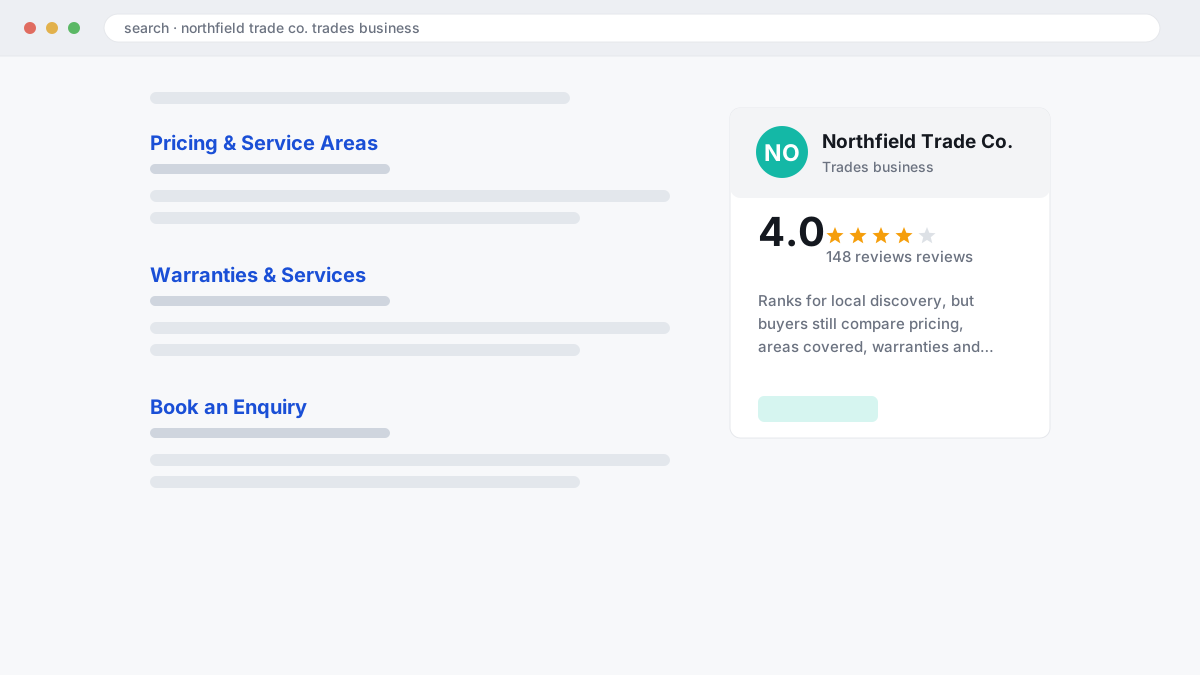
The wrong approach is treating this as a choice between channels. That fails because local pack visibility captures map-intent demand, but people comparing pricing, areas covered, warranties or specialist services often leave the profile and look for pages your website can rank with, track and test. In BGR Review's dataset of 1,485 businesses observed February to July 2026, trades businesses that shared complete enquiry-source data attributed 70–80% of calls and bookings to a Google Business Profile or Yelp listing, which is why a tight launch budget usually goes to GBP first.
This comparison is easier when you separate discovery from trust and control.
| Channel | Best at | What it misses alone |
|---|---|---|
| Google Business Profile | Local pack visibility, calls, direction requests, quick reading of reviews and owner responses through GBP performance metrics | Thin service detail, limited tracking, less control over edits |
| Website | Landing pages, stronger trust signals, cleaner attribution, broader non-map searches | Loses impulse call demand if your NAP consistency and profile are weak |
The right approach is using both when budget allows. If cash is tight, launch the profile first, keep NAP consistency exact across your site and listings, then add pages that answer the objections your profile cannot handle; that usually lifts conversions from branded search as well as map-pack clicks.
How should multi-location and service-area businesses structure profiles without causing overlap?
Multi-location businesses need one eligible profile for each real, staffed customer-facing site, with that location’s own phone line and address details. Service-area business settings should hide the address when you do not serve customers there in person; most overlap issues start with shared numbers, copied categories and weak location-page NAP consistency.
Most guides push one master listing for the whole brand because it looks easier to manage. It fails because Google has to decide which town, call history and local intent that single profile represents, and that weakens local relevance in the map pack while making ownership disputes and unsupported edits more likely. The cleaner structure is location-level profiles for genuine branches, then separate service-area settings for mobile teams that visit customers off-site. That gives each profile clearer ranking attribution, cleaner call tracking and fewer duplicate and merged profiles.
If two profiles already cover the same territory, check the contact data first. A shared main number across towns, mismatched citations and inconsistent NAP consistency on location pages often trigger duplicate conflict, then one listing absorbs reviews and calls meant for another. Fix the overlap before you push review growth: BGR Review’s 30-day free replacement guarantee applies to review packages, but it will not repair visibility loss caused by a bad branch structure. If the conflict has already turned into a merge or ownership problem, document signage, local utility records and the public-facing contact details for each site before you ask Google to separate them.
Why do some profiles get suspended after category, address, or ownership changes?
Google Business Profiles often get suspended after edits that make eligibility unclear: an address change, category mismatch, ownership dispute or unsupported service-area setting. The trigger is usually a trust review under Google Business Profile eligibility and verification rules, not a simple “penalty” on one field, so your evidence decides whether business verification holds or fails.
Most owners assume Google suspended the profile for obvious spam. What actually happens is messier. Change the address to a virtual office, hide a storefront while still using an ineligible location, or switch the primary category from “plumber” to a broader term your signage and website do not support, and Google starts checking whether the listing still matches the real-world business. Secondary categories can add context, but they can also widen the mismatch if your services page, exterior signage and NAP consistency point somewhere else.
The wrong approach is editing everything at once and hoping the profile settles. That fails because ownership changes, duplicate and merged profiles, and service-area business settings often stack into one manual review risk, especially when two listings share a phone number or old address history. The right approach is to line up one version of the business first: eligible location or true service-area setup, defensible primary and secondary categories, and clean control of any duplicate profile before inviting a new owner.
Evidence quality decides a lot of these outcomes. In BGR Review’s negative review dataset of 12,000+ cases logged June 2025 to June 2026, roughly 90% of businesses that came to us after a failed attempt had used only the basic in-platform report button, and 70–80% of those initial requests had been rejected; suspension appeals break the same way when the website, signage, utility bill or company registration does not match the edit history. That uncertainty cuts local pack visibility fast, and the drop in map-pack clicks usually shows up before you notice the calls have slowed.
What does a practical suspended-profile recovery workflow look like?
A workable recovery starts by aligning your business name, address, category and ownership evidence across your website and records before you file for reinstatement. Mismatched proof usually delays recovery more than the original trigger, especially after address changes, ownership transfers or heavy profile edits.
The wrong approach is dumping ten documents into the appeal and hoping volume will cover gaps. That fails because Google’s business verification and reinstatement checks look for relevance and NAP consistency, not paperwork bulk; if your sign shows one trading name, your website footer shows another, and a pending change still shows the old address, the file reads as unresolved.
Use one clean evidence pack and map each item to the reinstatement form exactly once. In BGR Review’s own negative-review case file, 12,000+ cases logged from June 2025 to June 2026 showed the same operational problem in disputes: thin evidence lost time, and a first rejection did not prove the underlying issue was valid; reinstatement work behaves much the same.
This is the pack that usually gives support the least room to doubt your listing details.
| Evidence | What it must match | Why it matters |
|---|---|---|
| Exterior signage photo | Business name and street address on profile | Confirms real-world presence after address edits |
| Website contact page | Name, phone, address and category wording | Supports NAP consistency and ownership |
| Licence, utility bill or lease | Legal entity and operating address | Proves occupancy or authority to trade there |
Track the timeline realistically. Evidence prep often takes a few days because the website, signage and submitted records have to match line for line, while review outcomes from Google often take longer than the filing itself; if pending changes are still live, fix the source data first, then submit once, cleanly.
How do duplicates, merged listings, and pending edits drain calls before you notice?
Duplicate and merged Google Business Profiles cut calls quietly by splitting reviews, sending people to the wrong place, and leaving Search and Maps with conflicting business data. The fix starts with proof of ownership, tight NAP consistency, and a clean edit order rather than repeated public edits that create more pending changes.
Most guides imply that more listings mean more coverage. What actually happens is cannibalisation. A duplicate profile can hold old reviews, an outdated phone number, or stale directions, so your click-through rate drops before you spot the cause in GBP performance metrics. A merged listing creates a different mess: the surviving profile may keep the wrong primary category, inherit old hours, or surface an obsolete call tracking number, which hurts conversions even if rankings hold for a while.
If you are seeing a sudden dip in calls after a routine update, compare the live details in Search, Maps, your website, and the dashboard before touching anything again. Pending edits can leave those surfaces out of sync for days, and Google may show user-suggested changes before owner edits fully settle. Save screenshots of each version, confirm the canonical name, address, and phone, then remove or report the duplicate and only after that correct categories, hours, and service areas.
Keep review disputes separate from data conflicts. If the duplicate also carries policy-violating reviews, that is a separate removal path; BGR Review runs that on a pay-after-success basis at $449 per removed link with $0 upfront, because deleting the duplicate alone does not always clear the review issue.
How do reviews and owner responses affect trust, clicks, and removal options?
Reviews on your Google Business Profile affect both conversion and risk. Recent, specific feedback and calm owner responses increase click confidence, while fake or policy-breaching reviews need documented flagging and escalation, not a public argument that keeps the problem live.
The wrong approach is chasing optics: posting a defensive reply under every bad review and assuming any five-star praise helps equally. That fails because a vague “great service” review does less for trust than a fresh review that mentions the job, location, staff member or turnaround, and your owner response is often what turns a mixed profile into a call or booking. In BGR Review’s dataset of 1,485 businesses observed from February to July 2026, review momentum tracked local visibility differently by sector, and trades profiles often converted directly from the listing rather than the website, so recency and specificity mattered to map-pack click-through and branded search demand more than a polished description alone.
The right approach is to separate reputation management from policy enforcement. Use public replies to show accountability and next-step contact details, then use Google’s review removal and flagging route only when the content appears to breach the Google Business Profile review policy, supported by screenshots, order records, staff logs or proof the reviewer was never a customer. Across 12,000+ negative review cases logged by BGR Review from June 2025 to June 2026, reviews raised within 28 days of posting and backed by an identifiable policy issue resolved successfully in roughly 90% of cases; beyond 28 days, the observed success rate fell to approximately 25–30%, which is why GBP performance metrics should trigger action fast.
What should your Google Business Profile optimisation checklist cover this month?
A useful Google Business Profile checklist targets the fields that break performance first: primary and secondary categories, hours, phone, service area, reviews, photos and pending edits. Measure every change against GBP performance metrics such as calls, website clicks and direction requests, or you are only tidying fields without knowing whether click-through rate, map-pack visibility or conversions moved.
Most guides turn the checklist into chores. That fails because a profile can look complete while the live website says something else. Audit categories, opening hours, phone number, services, attributes and the business description against the current site on the same day; if the site says emergency callouts, wheelchair access or a new service radius and the profile does not, Google gets mixed signals, branded search demand converts worse, and unsupported public edits are harder to reverse.
This is the monthly pass worth doing before you touch anything major.
| Field | What to check | What to compare after edits |
|---|---|---|
| Categories | Primary category still matches your main revenue line; secondary categories are relevant | Calls and map-pack clicks over the next few weeks |
| Photos, products and services | Recent images, accurate product names, current pricing or service wording | Photo views, clicks and form-fill quality |
| Reviews | Unanswered reviews from the last 30 days | CTR and conversion quality after replies |
If a major edit lands, save a before-and-after snapshot of performance. That gives you a clean read on whether the change helped, whether visibility dropped after the edit, and whether you need to roll back, escalate a conflicting update, or move straight to support with evidence instead of guessing.
What should your monthly Google Business Profile update checklist include?
A useful Google Business Profile checklist reviews accuracy, access, visibility, and reputation in one pass. If you check ownership and access, categories, hours, reviews, duplicates, and lead signals every 30 days, you catch errors before map-pack visibility, click-through rate, calls, or bookings slip.
The wrong approach is a one-time optimisation after setup. It fails because profiles drift: business hours and special hours go stale, a staff change leaves the wrong primary owner in place, a category edit widens you into weaker searches, and an old Google Posts cadence can mask the fact that newer post types or profile elements are getting no traction. The right approach is a recurring operational audit, because small errors usually hurt conversions before they trigger a suspension.
Run this monthly checklist for each location:
- Confirm primary owner, managers, and backup access.
- Check main and secondary categories still match live services.
- Review NAP, business hours, and upcoming special hours.
- Update services, products, photos, and cover image.
- Read new reviews, post owner replies, and flag policy issues fast.
- Check for duplicates, pending edits, or suspension notices.
- Review performance insights for calls, website clicks, direction requests, and booking actions.
Every quarter, compare your top three map-pack rivals on rating, review recency, and category fit. Rules on reviews, endorsements, and removals vary by country and platform — Google policy, FTC rules in the US, and UK consumer-protection rules do not say the same thing — so treat this as general information, not legal advice.
Where to go from here
Start with a one-hour audit of the profile you already have. Check your business name, address, phone, verification status, primary category, service-area settings, duplicate listings, pending edits, and the last 10 reviews. That gives you the fastest read on what is suppressing calls, map-pack clicks and branded search demand, because a bad category or duplicate can drag visibility down before any review campaign helps.
If you find a duplicate, unsupported edit or policy-breaking review, fix them in that order and save the evidence as you go: storefront or van photos, utility bill or registration, screenshots of the live issue, review links, and dates. Expect control to come back in stages. Accuracy and duplicate fixes usually restore edit stability first; review work tends to affect click-through rate and conversions after the profile looks trustworthy again.
If DIY stalls, move to a managed plan instead of filing the same weak report twice.